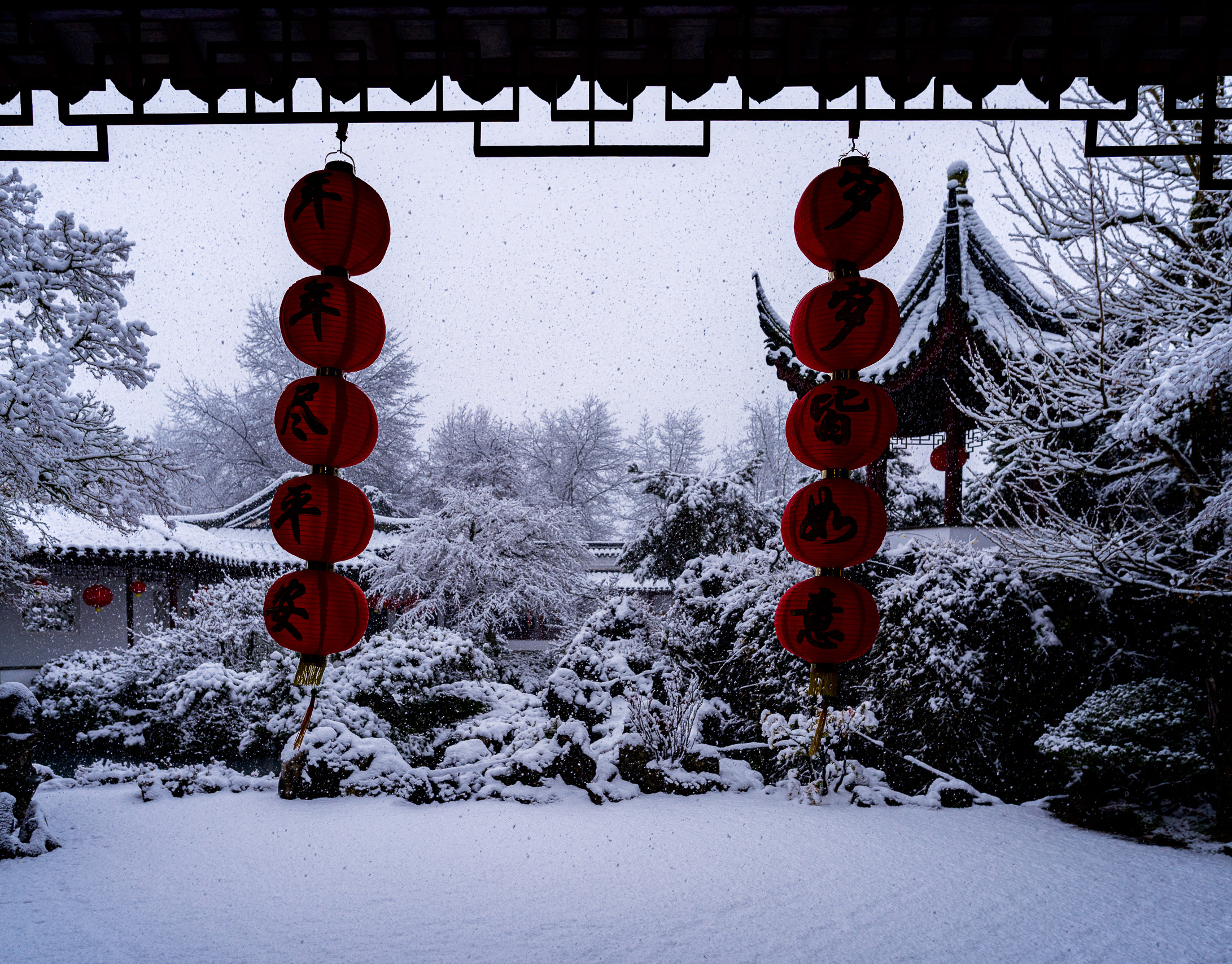
The “Green” War — Unifying Foliage and Soul
If you ask a veteran Fujifilm shooter why they still keep an original X-T1 or X-Pro1 in their bag, they won't talk about megapixels or autofocus. They’ll talk about the greens.
There was an organic, earthy "weight" to the foliage on those original 16MP sensors—a look that many feel has been replaced by a more clinical, yellowish, and sometimes "toxic" rendering on modern 26MP and 40MP sensors. This is the "Green War": the struggle to get modern, technically superior sensors to feel as "filmic" as the legends that started it all.
In this post, we’re going to use Cobalt Image profiles to bridge that decade-long gap.
The "Neon" Problem: Taming Modern Sensors
The modern Fujifilm sensor is a powerhouse, but it handles backlit foliage very differently from its predecessors. In high-contrast greenery, the green channel often "screams" toward the highlights, losing texture and shifting toward a sickly neon-yellow.
Case Study: Backlit Maples (X-T4)
In this shot of backlit maple leaves, the native Fuji Provia/Standard profile struggled. The histogram showed the green channel nearly clipping, resulting in a "plastic" look.
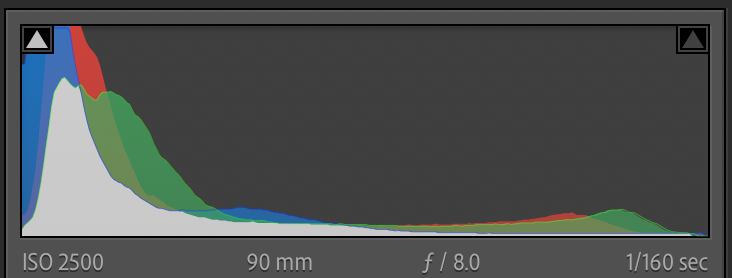
Figure 1: The X-T4's Green Channel stress test. Notice how the green mountain is piled against the right wall. This isn't just bright; it's data-clipping, which leads to that 'nuclear' digital look.
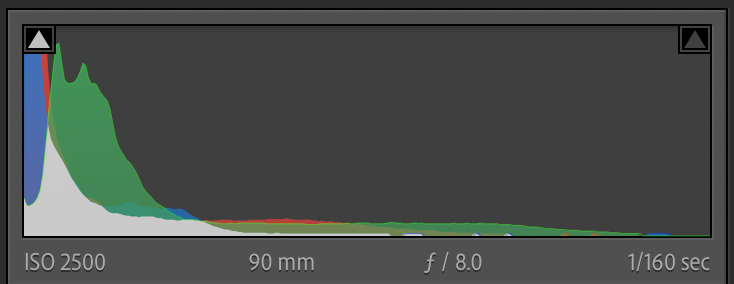
Figure 2: Taming the Neon. By surgically dropping the green luminance, we’ve "un-stuck" the data from the right edge. This shift represents the move from a flat, digital glow back to the dense, earthy greens that define the X-Trans I soul.
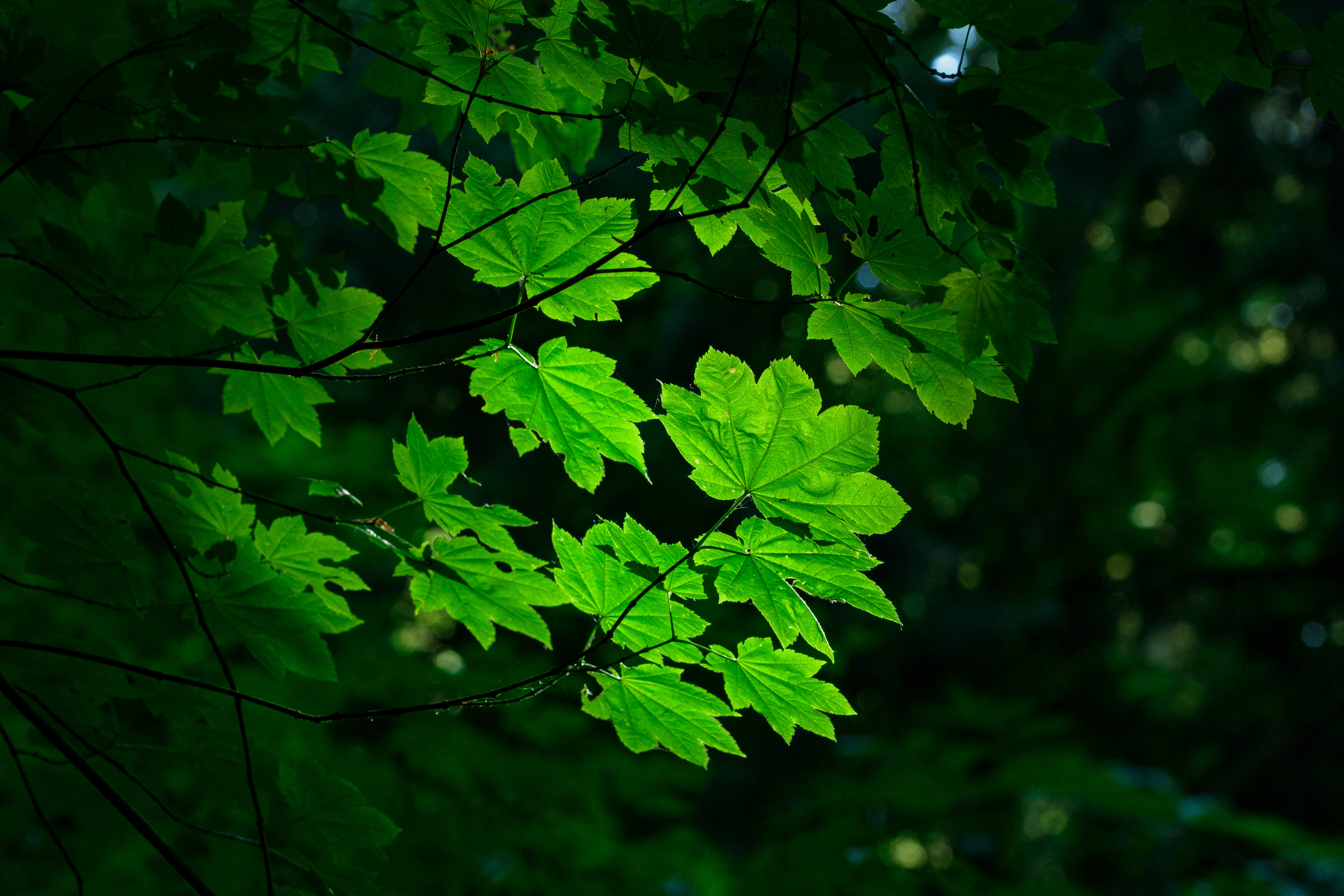
The Cobalt Fix:
By switching to the Cobalt Fuji Provia (Standard) profile, we reset the baseline.
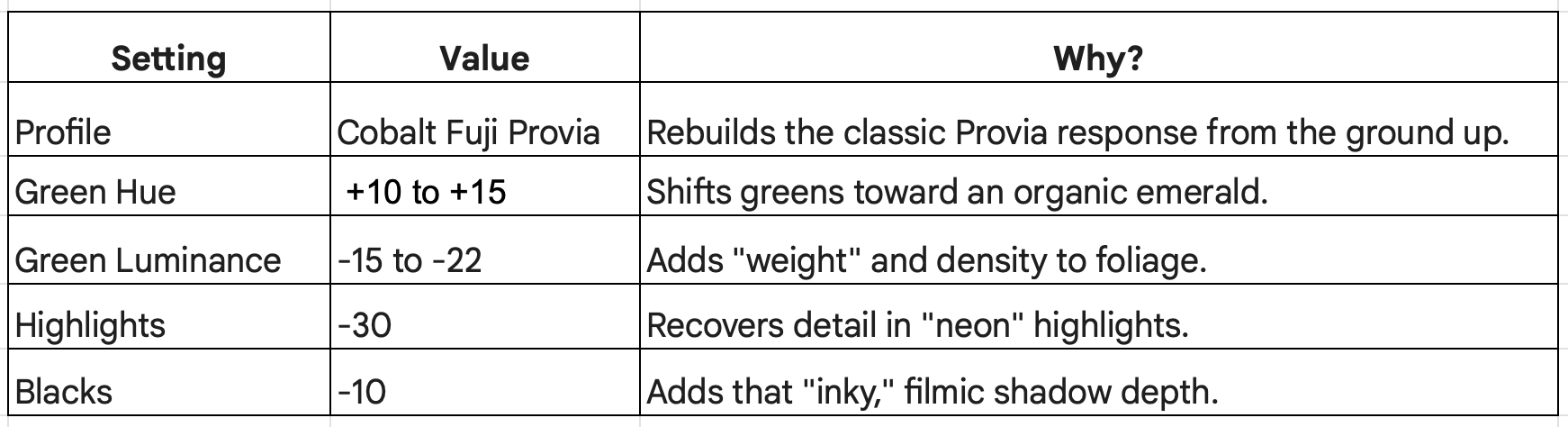
The Secret Sauce: I dropped the Green Luminance to -22 and shifted the Green Hue to +14.
Suddenly, the leaves have "weight." They feel like physical objects in a forest rather than a digital glow. Cobalt’s superior color math handles the highlight roll-off, preserving the fine veins in the leaves that standard profiles often smear. But color science isn’t just about the landscape; it's about the people within it.
The Human Element: Protecting Skin Tones
The biggest casualty in the "Green War" is often the human subject. Usually, if you try to fix "toxic" greens using standard HSL sliders, the skin tones shift with them, turning muddy or overly magenta.
The Balance: The Rainy Day Jockey (X-Trans II)
This legacy file shows the strength of a unified workflow. Even though this was shot years ago on an older sensor, applying the same Cobalt Fuji Provia logic allowed me to "earth" the background grass while keeping the jockey’s skin looking natural.

Key Technical Insight:
Cobalt allows for better color separation. I can deepen the greens in the background without the jockey looking like he’s wearing a mask. By lifting the Orange Luminance (+10), we ensure the face remains the focal point even in a moody, low-light environment.
The Victory: Total Portfolio Unity
The "Green War" isn't just about foliage; it’s about the entire color science of your camera. When you stabilize the greens, you stabilize everything else.
The Stress Test: Remembrance Day (X-Trans II)
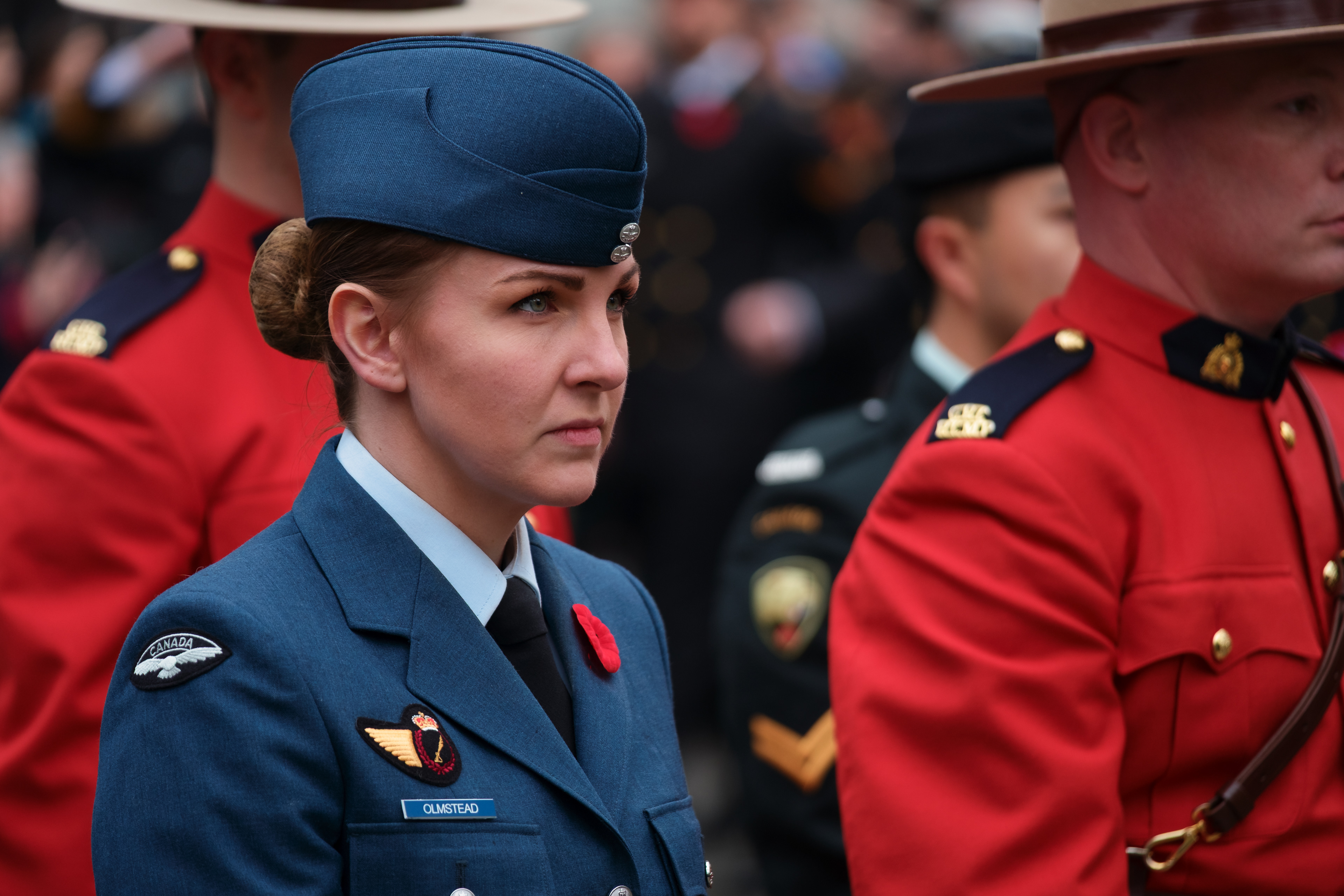
This shot of the RCMP and Air Force officers is the ultimate proof of unity. Look at the Red Serges. On many digital sensors, these reds "bloom" and lose texture. Cobalt keeps the reds "dense" and velvety.
Despite this being shot years apart from the X-T4 maple leaves, the color language is identical.
The Recipe for "X-Trans I Soul"
If you want to try this yourself, here is my foundational "Green War" setup for the Cobalt Fuji Digital series:
Closing the Gap
Cobalt Image isn't just a profile; it's a standardization tool. It allows us to stop fighting our sensors and start making our images look the way we remember the world. Whether you’re shooting an X-T1 or the latest stacked-sensor monster, you can finally have a cohesive, professional look that spans a decade of sensors.
What is your favorite Fujifilm sensor generation? Are you an X-Trans I purist, or have you found a way to tame the X-T5? Let me know in the comments.
The Cobalt Chronicles: Catch Up
This is Part 3 of an ongoing series exploring how Cobalt Image profiles redefine the Fujifilm workflow. If you’re just joining the journey, check out the previous deep dives: